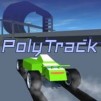
PolyTrack
 Sonic the Hedgehog
 Snow Rush 3D
.avif "Another Drink Dash") Another Drink Dash
Another Drink Dash
 Night City Racing
 Geometry Dash Grief
 Geometry Dash Slow
 Geometry Vibes
 Geometry Dash All Levels
 Geometry Dash Spam
 Geometry Dash Lite
 Geometry Dash Bloodbath
 Geometry Dash World
 Geometry Dash Meltdown
 Geometry Dash SubZero
 Geometry Dash Deadlocked
 Happy Wheels
 Geometry Jump
 Geometry Jump 2
 Tunnel Rush
 Slope 3
 Marble Run 3D
 Avatar Game
 Geometry Dash Remastered
 Helix Jumping
 Bloxd.io
 Murder Mafia
 Block Blast
 Geometry Dash Wave
 Space Waves 3D
 Geometry Dash Spam 3D
 Geometry Dash Breeze 3D
 Geometry Dash Press Start
 Geometry Dash Wave Challenge
 Geometry Dash Tidal Wave
 Geometry Dash Daily Level: Dream World
 Geometry Dash Polargeist
 Geometry Arrow 3D
 Geometry Dash Hairless Adventure
 Geometry Dash Onward
 Geometry Dash Retray
 Geometry Dash Suponho
 Gaminia
 Infrunami
 Geometry Dash Wave 3D
 Geometry Dash Meltdown 3D
 Geometry Dash Lite 3D
 Geometry Dash Subzero 3D
 Geometry Arrow
 Geometry Dash Scratch
 Electron Dash
 Run 3
Run 3
 Basket Shot Master Online
 Geometry Dash Altra
 Color Wavee
 Hook Master: Mafia City
 Geometry Dash Lunar Abyss
 Geometry Dash Powerful
 Geometry Dash Party Dance
 Geometry Dash Water Temple
 Skiing Fred
 Geometry Dash Beast Mode Full Game
 Kingdom Survivor
 Geometry Dash Bleeps n Blops
 Raft Wars
 RPG Pixel Hero: Crimson Quest
 Geometry Dash 3D
 Thumb Wars
 Cubes 2048
 Red Ball 4
 Curve Rush
 Cookie Clicker City
 Bloons Tower Defense
 Color Tunnel
 Basketball Stars
 Hero Clicker
 Xmas Block Blast
 ICEY
ICEY
 UNO Online
 Impossible Bus Stunt
 Death Run 3D
 Dinosaur Game 3D
 Happy Glass
 Basket Random
 Woodnuts Bolts Puzzle
 Slope Run
 Car Racer
 Slope 2
 Tap Tap Shots
 Subway Surfers Lucy
 Drift Boss
 Jelly Merge
 Learn To Fly 3
 Candy Clicker
 Learn To Fly
 Dunk Hoop
 Galaxy Shooter
 Tap Road
 Fantasy Helix
 Merge Alphabets Lore 3D
 Apple Worm
 Brain Test
 Pizza Ready
 Metal Wing
 Drift F1
 Slope Ball
 Drift 3
How to Play PolyTrack?
- Accelerate: W or Up Arrow
- Brake/Reverse: S or Down Arrow
- Steer: A/D or Left/Right Arrows
- Restart Level: R (Essential for the time attack grind)
Complete Enough Laps to Finish a Level
The objective of PolyTrack is to drive through the entire course and complete the required route. Each level presents a different combination of corners, straight sections, ramps, jumps, and other track features. Your goal is not simply to reach the finish line but to do it as efficiently as possible.
The faster you complete the track, the better your score or finishing time will be. This creates a strong time-attack element because even a successful run can be improved.
Focus on Speed and Control
Speed is important, but speed without control can quickly turn into a mistake. When your car enters a corner too quickly, you may slide wide, hit the edge of the track, or lose momentum while correcting your direction.
A good run balances acceleration with precise steering. On long straight sections, use the available space to build speed. Before a tight corner, slow down enough to keep your racing line. Once the car is facing the correct direction, accelerate again.
This approach can help you finish faster than simply driving at maximum speed everywhere.
Learn Every Corner
Repeating the same level is one of the best ways to improve. During your first attempts, you may not know where the difficult turns are. After several runs, you begin to remember where to brake, when to turn, and when you can safely accelerate.
Instead of treating a failed attempt as wasted time, use it as information. If you lose speed at one corner, change your approach during the next run. You can brake slightly earlier, take a tighter line, or adjust your steering.
The official game description emphasizes this repeat-and-improve structure, where players replay sections and make small adjustments to remove time from their runs.
Keep Your Car Stable After Jumps
Jumps can look exciting, but they can also make a fast run more difficult. When your car lands at an angle, you may need to correct the steering, which can cost valuable time.
Try to approach ramps in a controlled direction and aim for a clean landing. Keeping the car aligned with the track after a jump can help you maintain momentum and prepare for the next section.
Find the Shortest Racing Line
A shorter route can often help you finish a track faster. When approaching corners, look for a smooth line that reduces unnecessary movement.
This does not mean you should always drive directly toward the inside of every turn. The best line depends on the shape of the corner and what comes immediately afterward. A slightly wider entry can sometimes give you a better exit and allow you to accelerate earlier.
Over time, you will learn which lines work best for each section.
If you enjoy PolyTrack and want to experience another driving game, Extreme Car Driving Simulator is a great next choice. It offers a different style of driving experience with a stronger focus on realistic car control and driving simulation.
FAQ About PolyTrack
What is PolyTrack?
PolyTrack is a browser-based racing game focused on time trials and precise car control. Players drive through tracks, complete the required route, and try to achieve faster times with each attempt. The game was created by Kodub.
How do you play PolyTrack?
Use W or the Up Arrow to accelerate, S or the Down Arrow to brake or reverse, and A/D or the Left/Right Arrows to steer. Press R to restart the level when you want to make another attempt.
What is the goal of PolyTrack?
The main goal is to complete each level as quickly as possible. Finishing the track is important, but improving your time is what creates the main challenge.
Is PolyTrack easy to play?
Yes. The basic controls are easy to understand, so beginners can start driving quickly. However, achieving fast times requires practice because sharp corners, jumps, braking points, and racing lines can greatly affect your performance.
Why should I restart a level?
Restarting allows you to immediately retry a run after a mistake. This is particularly useful during time attacks because one major error can make the rest of the attempt slower than your target time.
How can I get faster in PolyTrack?
Practice the difficult sections repeatedly, brake before sharp corners, maintain a smooth racing line, avoid unnecessary drifting, and try to land jumps as straight as possible. Comparing different approaches can also help you discover faster routes.
Can I play PolyTrack in a browser?
Yes. PolyTrack is available as a browser-based racing game, allowing you to start playing without installing a traditional racing game. The game is available on desktop as well as mobile and tablet platforms through supported versions.